The Diablo 4 loot filter is great, but the minimap kind of ruins it
The filter hides the loot at your feet, but your map still lights up with everything you told it to ignore.

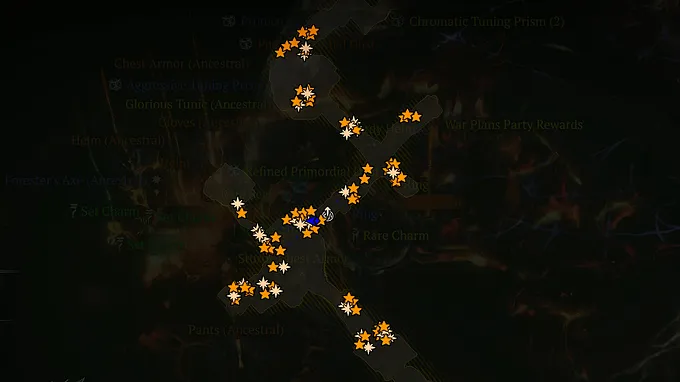
Diablo 4's Loot Filter is one of the best quality-of-life additions the game has had, arriving with Lord of Hatred. No one disagrees with that.
After years of checking far too much gear, being able to hide unwanted drops makes farming way more fun and much less chaotic. Blizzard's Diablo IV Loot Filter can hide, show, or recolor gear based on the rules you create in-game, which gives you much more control over what gets your attention.
There is, however, one part that keeps irritating players. Filtered gear can still leave an icon on the minimap...
The Minimap Keeps Sending Players Backwards
You run a dungeon, clear a boss or event, move on, and then either after or even as you fight through hordes of monsters and demons, you glance at the minimap. There is still a legendary or Unique icon behind you in some place you passed earlier on the map, so naturally, you turn around to check it... But there is nothing there for you to pick up. The item itself was hidden by your filter, but the minimap did not get the message.
With one or two drops, this is annoying but not a big deal. When a full pile of loot hits the floor, however, it becomes genuinely confusing. Your minimap fills with icons, and you can no longer tell if you missed something useful or if every marker relates to gear you already told the game to hide via Loot Filter.
The worst of it is that the more intricate your filter becomes, the worse this feels. And it has been bothering many other players too, with the same complaint being shared on both Reddit and the official Diablo 4 forums.
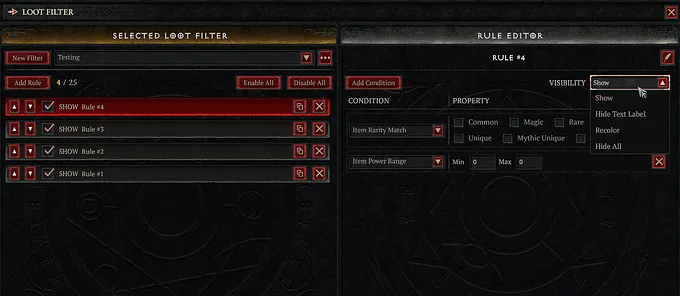
Hidden Loot Should Stay Hidden
The only fair argument for keeping those icons is that they might serve as a safety net. If you made a mistake setting up your filter, the minimap icons at least tell you an item dropped. But Diablo 4 already lets you set a keybind to toggle the filter on and off for whenever you want to check what was left behind.
And, in all honesty, hidden should just mean hidden. If we tell the game to hide a drop, it should not keep lingering on the map either. But at the very least, this should be a choice. The game could let us decide if filtered items stay visible on the minimap, or let the Hide rule remove their map icons too. Players who want the extra reminder can then choose to keep it. Everyone else gets a minimap that only reflects loot they can see and pick up.
The Loot Filter itself is great, helpful, and one of the best additions to Diablo 4. As a system, it does not need to be fixed or rebuilt; it just needs to finish the job. With Season 15 and a new patch arriving in mid-September, there is a real chance this gets some attention, and it would be an easy win for Blizzard and the community. If you tell Diablo 4 to hide a drop, the map should not keep showing it or asking you to run back and check it anyway.