Blizzard just published its full Diablo preview for BlizzCon 2026, including the complete weekend schedule, a list of featured creators, three Twitch Drops, and the first Diablo event badge for Twitch chat. There is quite a bit to keep track of, especially if you want all of the rewards:
The Twitch badge, unfortunately, requires you to buy a subscription.
The Opening Ceremony will include big reveals for the Diablo franchise.
For the full schedule, exact times, and reward details, check out Blizzard's official blue post below.
● Blue postBlizzard Entertainment2026, September 8
Your Preview Guide to Diablo at BlizzCon 2026
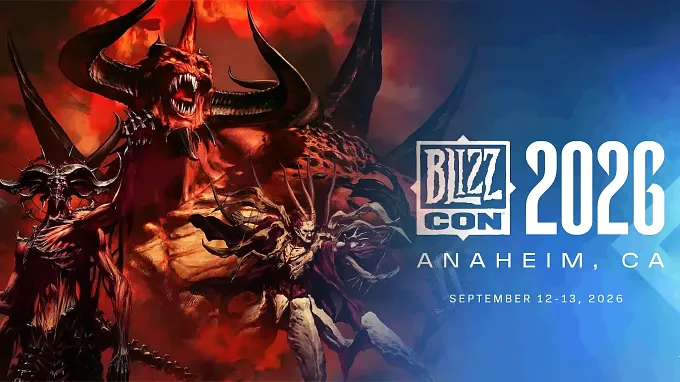
Hell is showing up in all its glory when BlizzCon returns September 12–13. Blizzard's homecoming event is bringing the Diablo community together in Anaheim and around the world to celebrate thirty years of darkness, while looking ahead to what’s next for the franchise.
Diablo takes the stage during the BlizzCon Opening Ceremony, followed throughout the weekend by new reveals, development insights, and a closer look at the past, present, and future of Sanctuary. Whether you’re joining us in person or watching from home, here’s where and when to tune in, along with details on participating creators, Twitch Drops, and more.
Join us live at the Anaheim Convention Center for panels brimming with Diablo news, nostalgia, and fun. For those enjoying the festivities from home, you'll be able to view the following channels for most Diablo broadcast content (exceptions noted below):
Johanna Faries, President of Blizzard Entertainment, will be joined by leaders of all Blizzard franchises for major game announcements. Diablo takes center stage to reveal extensive plans for the glorious future of Sanctuary. *Simulcast on Youtube.com/Blizzard or Twitch.tv/Blizzard
Diablo: Developer Update – Main Stage, 1:45 p.m. PT
The Diablo team takes the stage to talk about the ideas, craft, and ambition shaping the franchise.
The Art of Darkness: Behind Diablo 4's Cinematics – Legends Stage, 4:15 p.m. PT
Join the Diablo IV Cinematic team for a behind-the-scenes look at the visual storytelling, performance, animation, and craft behind Sanctuary's darkest moments.
Sunday, September 13, 2026
Diablo Immortal Live Artist Drawing with Special Guest – Immortal Stage, 10:00 a.m. PT
Join the Diablo Immortal art team and a special guest for a live drawing session with conversation around the creative process behind bringing unforgettable characters and worlds to life in Diablo.
Diablo IV: What's Next – Main Stage, 11:00 a.m. PT
Celebrate 30 years of darkness with the Diablo development team through previews of upcoming content, features, and more.
Voices of Blizzard – Main Stage, 3:15 p.m. PT*
Hear the voices behind beloved Blizzard characters share stories from the booth, revisit memorable performances, and bring favorite moments to life on stage. *Simulcast on Youtube.com/Blizzard or Twitch.tv/Blizzard
Throughout BlizzCon, Diablo content creators will stream from the show floor, sharing the weekend with those players watching from home. Blizzard developers will also join participating creators for interviews from across the convention space.
This list represents just some of the amazing Diablo creators streaming during BlizzCon 2026:
Diablo IV
Rhykker
Wudijo
Rob2628
DatModz
Cliptis
Aaron Action RPG
MacrobioBoi
AnnacakeLIVE
Slaydra
Diablo Immortal
Indez
Diablo II*
Mrllamasc
Jymnasium
Kano
LuckyLuciano
*Diablo II streamers will be streaming Diablo IV on the main Diablo Show Floor area and Diablo II in the Classic Arcade area .
Our first-ever event chat badge created just for BlizzCon 2026 celebrates Diablo's 30th Anniversary. Wear it proudly across all your Twitch channels!
Start: September 12, 2026 at 10:00 a.m. PT
End: September 26, 2026 at 9:59 a.m. PT
To claim the Twitch Badge, support a streamer by purchasing one (1) subscription to any content creator streaming in any Diablo category between the dates and times above. This counts for streamers in the following categories: Diablo II: Resurrected, Diablo III, Diablo Immortal, and Diablo IV.
This will automatically apply this new badge to your Chat Identity.
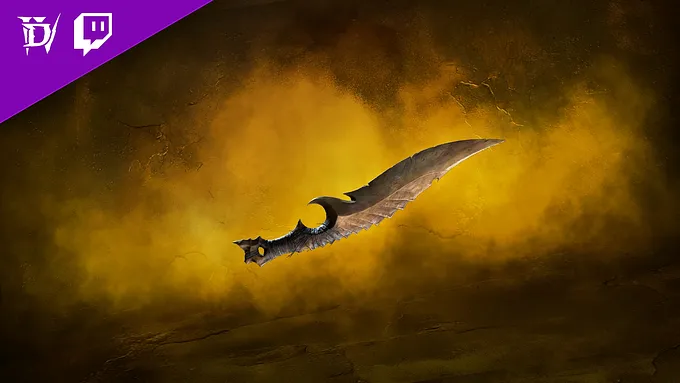
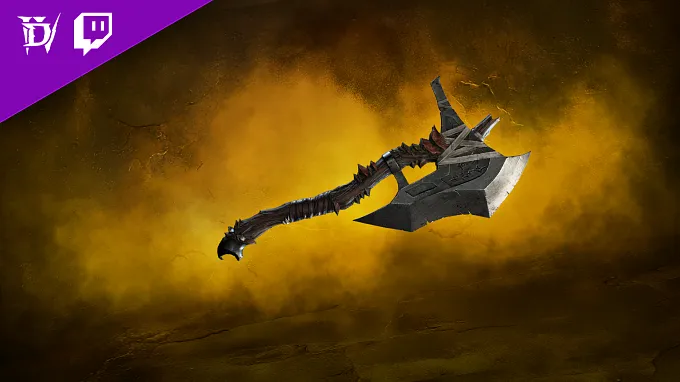
View any stream in the Diablo IV category during our BlizzCon panels, or join in streamer coverage of all the jaw-dropping Diablo news to earn the following. For every 2 hours you watch, you'll earn the following cosmetics:
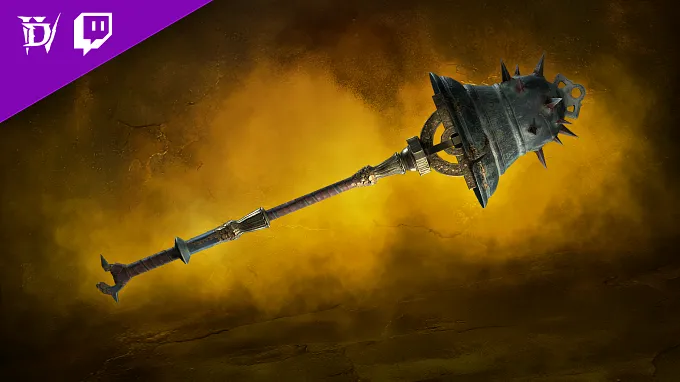
2 Total Hours Viewed: Serrated Skean Dagger4 Total Hours Viewed: Corroded Cleaver Axe6 Total Hours Viewed: Tintinnabulation Two-Handed Mace
Twitch Badge Frequently Asked Questions
Q. How do I earn a Twitch Chat Badge?
A. Twitch Chat Badges are badges associated with your Twitch account's chat to showcase your identity on that platform. The badge offered here is an Event badge for a limited time only, so you must complete the necessary requirements within the time announced.
Q: How do I apply a custom Twitch Badge?
A: Once you've earned the badge, open Chat in any channel where you want to use this badge. On the left side of the "Send a message" box, click the icon to open your Chat Identity. This allows you to pick a Global Badge you can use across all channels, or choose between a Channel Badge or a Custom Badge for that channel. Use your new event badge as either a Global or Custom badge!
Q. Do I need to own an edition of Diablo IV or Lord of Hatred to receive the Twitch Drops?
A. No, owning an edition of Diablo IV or Lord of Hatred is not required to gain progress towards and earn Twitch Drops.
Q. How do I link my Battle.net and Twitch account?
A. Sign into your Battle.net account here and click the Connect link for Twitch, then follow the instructions to sign-in and link your Twitch account to Battle.net.
Q. What devices can I use to earn and claim drops?
A. You can earn and claim drops using your PC or Mac web browser or on the Twitch app for Android or iOS. Twitch apps on game consoles, smart TVs, and other TV apps do not support drops.
Q. Do I need to watch the same channel the entire time to earn my drops?
A. No, you can earn progress towards a drop from watching any eligible channel in the Diablo IV category on Twitch. For example, you can watch half an hour on one channel and then switch to another channel without losing your progress. Progress cannot be earned faster by watching more than one channel at a time. Streams played in the background or with inactive tabs will not count towards the hours watched criteria.
Q. Will I receive my Twitch Drops rewards in-game automatically?
A. No. You must claim the drop on the channel you’re watching or in the Drops Inventory menu on Twitch.
Q. Do Twitch Drop rewards expire?
A. Earned Twitch Drop rewards will expire 7 days after they’ve been claimed if a Battle.net account has not been linked.
Q. As a streamer, how do I get Twitch Drops on my channel?
A. All you need to do is make sure your Twitch and Battle.net accounts are linked, and that you’re opted into Drops (see Drops Streamer Home).